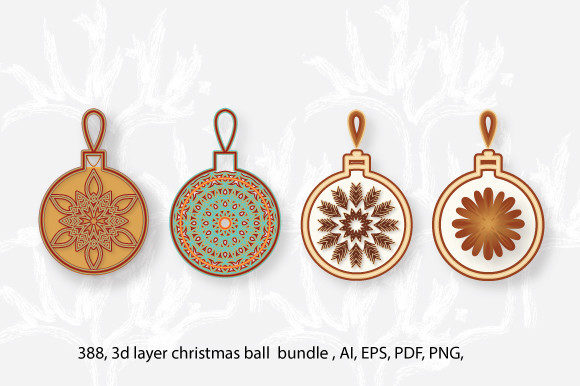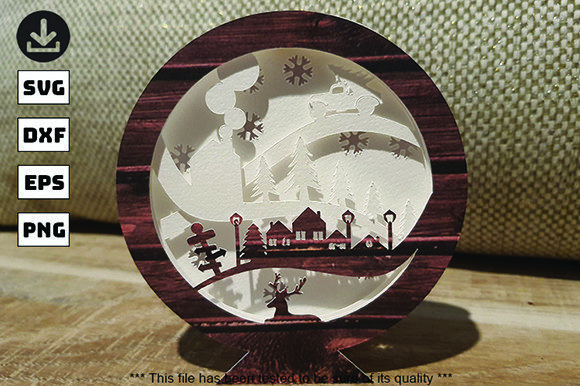
Creating Depth and Dimension with 3D Papercut CHRISTMAS Ornaments SVG
The holiday season brings with it a surge in creativity, as individuals and businesses alike seek to decorate spaces with unique, personalized touches. While traditional ornaments have their place, there is a growing trend toward multi-layered, dimensional designs that add depth and visual interest to any setting. Among the most popular tools for achieving this effect are 3D Papercut CHRISTMAS Ornaments SVG files. These digital templates allow creators to produce intricate, layered paper crafts that stand out from flat, two-dimensional decorations. This article explores the practical applications, technical requirements, and creative possibilities of using these digital assets, providing a comprehensive guide for hobbyists, educators, and professionals looking to enhance their crafting workflows.
Understanding the Digital Asset
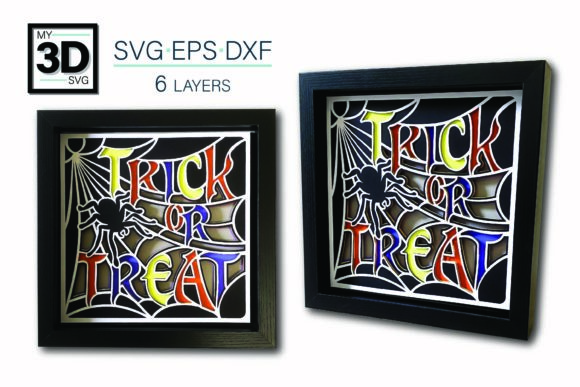
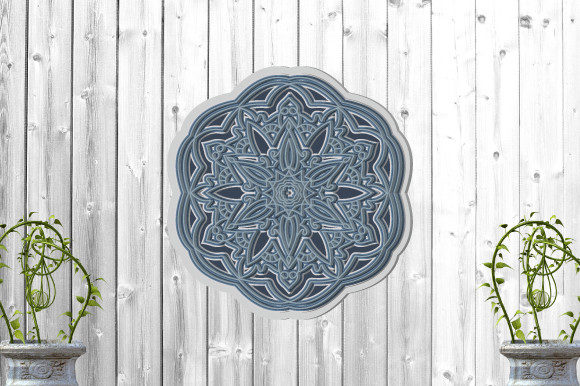
At its core, a 3D Papercut CHRISTMAS Ornaments SVG file is a vector-based graphic designed specifically for cutting machines. Unlike standard raster images, SVG (Scalable Vector Graphics) files maintain their clarity regardless of size, making them ideal for precision cutting. The "3D" aspect refers to the design's structure: instead of a single layer of material, the ornament is composed of multiple layers that, when stacked and adhered together, create a sense of depth and volume.
This particular product includes a specialized folding system. This feature simplifies the assembly process by pre-defining how each layer should be manipulated before attachment. By incorporating fold lines into the design, the creator ensures that the final product has a consistent, professional appearance without requiring advanced origami skills. The inclusion of various file formats—SVG, EPS, DXF, and PNG—ensures compatibility across a wide range of software and hardware platforms, from industry-standard Adobe Illustrator to consumer-grade Cricut machines.
Technical Specifications and Compatibility
When working with digital craft files, understanding the technical specifications is crucial for a successful outcome. The 3D Papercut CHRISTMAS Ornaments SVG described here was created on a 30cm x 30cm canvas in Adobe Illustrator. This standard size offers a good balance between detail visibility and manageability, allowing for intricate cuts without overwhelming the user or the cutting machine.
- Format Versatility: The package includes SVG for vector editing, EPS for compatibility with older software, DXF for CNC routers, and PNG for reference or non-cutting uses. This multi-format approach ensures that whether you are using a laser cutter, a vinyl plotter, or a manual scissors-and-glue method, you have the appropriate file type.
- Material Agnostic Design: Because the design relies on vector paths rather than specific material properties, it is highly adaptable. It can be cut from lightweight cardstock for delicate wall hangings or thicker materials like plywood and metal for durable tabletop centerpieces.
- Software Origin: Created in Illustrator and Photoshop, the layers are organized logically. This organization allows users to easily separate individual components if they wish to customize colors or sizes before sending the file to the cutter.
The Cutting Process and Machine Requirements
One of the primary advantages of using an SVG file for Christmas ornaments is the ease of integration with electronic cutting machines. Devices such as Cricut and Silhouette are particularly well-suited for this task. The file has been tested on a Cricut machine to ensure optimal performance, meaning the cut lines are precise and the layer separations are clean.
For best results, users should follow a few key steps during the cutting phase:
- Layer Separation: Before loading the material, open the file in your design software and separate the layers. Each layer of the 3D ornament should be placed on its own page or designated area within the cutting mat layout.
- Material Selection: Choose a material that matches your desired aesthetic. Cardboard and heavy cardstock are excellent for beginners, offering enough rigidity to hold the 3D shape while being easy to cut. Wood veneer or acrylic sheets can be used for more permanent displays.
- Cutting Settings: Adjust the blade depth and pressure settings according to your material thickness. Thicker materials require deeper cuts and slower speeds to prevent tearing or incomplete cuts.
- Weeding: After cutting, carefully remove the excess material (weeding). For complex 3D designs, this step requires patience to avoid damaging the delicate inner layers.
Assembly Techniques for Dimensional Results
The true magic of a 3D Papercut CHRISTMAS Ornaments SVG lies in its assembly. The folding system mentioned in the product details is key to achieving a uniform look. Once all layers are cut, the next step involves preparing the adhesive strategy. Standard glue sticks often fail to provide the necessary lift for a 3D effect, leading to flattened designs that lose their intended dimensionality.
To achieve the proper depth, it is recommended to use thick mounting tapes or foam pads. Indoor mounting tape is particularly effective because it provides a strong bond without damaging the material over time. Here is a suggested workflow for assembly:
- Identify the Base Layer: Start with the largest or backmost layer of the ornament. This will serve as the foundation.
- Apply Adhesive to Edges: Place small pieces of thick mounting tape along the edges of the next layer up. Avoid placing tape in the center, as this can prevent the layers from sitting flush against one another.
- Stack and Align: Carefully align the subsequent layer with the base. Use the fold lines as guides to ensure that tabs and slots interlock correctly if the design includes them.
- Repeat Until Complete: Continue stacking layers, ensuring that each addition maintains the structural integrity of the previous ones. The cumulative height of the tape creates the 3D pop that defines this style of ornament.
Practical Applications and Use Cases
The versatility of these digital files extends beyond simple decoration. Professionals and educators can leverage 3D Papercut CHRISTMAS Ornaments SVG files for a variety of projects:
Home Decor and Personalization
For homeowners and renters, these ornaments offer a cost-effective way to personalize living spaces. By printing layers on different colored papers or using metallic foils, users can create custom color schemes that match their interior design themes. The ability to scale the design means one file can produce tiny tree decorations or large wall-mounted art pieces.
Educational Tools
In educational settings, these files serve as excellent tools for teaching geometry, spatial reasoning, and fine motor skills. Students can explore concepts like symmetry, layering, and perspective by physically constructing the 3D models. The digital nature of the file allows teachers to print multiple copies for group activities, fostering collaboration and creativity.
Commercial Product Lines
Small business owners and Etsy sellers can utilize these SVGs to create unique inventory. Because the file is digital, the initial investment is low, and production can be scaled based on demand. By offering customizable options—such as changing names, dates, or colors—entrepreneurs can command higher prices for personalized holiday gifts.
Considerations and Troubleshooting
While the 3D Papercut CHRISTMAS Ornaments SVG is designed for ease of use, certain considerations can help ensure a smooth experience. First, always test cut a small section of your chosen material before committing to the full project. This helps verify that the cutting machine settings are correct and that the material behaves as expected.
If you encounter issues such as layers not sticking properly or cuts being incomplete, consider the following troubleshooting tips:
- Check Blade Sharpness: A dull blade can crush thin materials rather than cutting through them cleanly. Replace blades regularly for crisp edges.
- Verify Tape Thickness: If the ornament feels unstable, try increasing the thickness of the mounting tape. Conversely, if the layers are too bulky, use thinner spacers.
- Review File Layers: Ensure that no overlapping elements exist within a single layer that could cause confusion during cutting.
Furthermore, it is important to remember that this is a digital product. No physical item will be shipped. Upon purchase, users receive a zip file containing all necessary formats. Immediate access to these files allows for quick turnaround times, which is particularly beneficial during the busy holiday season.
Conclusion
The integration of technology and traditional crafting through 3D Papercut CHRISTMAS Ornaments SVG files represents a significant advancement in DIY decor. By combining precise digital vectors with tactile assembly techniques, creators can produce stunning three-dimensional artworks that capture the spirit of the season. Whether used for personal enjoyment, educational purposes, or commercial ventures, these files offer a flexible, high-quality solution for anyone looking to add depth and dimension to their Christmas celebrations. With proper preparation and attention to detail, the result is not just an ornament, but a piece of art that stands out in any collection.