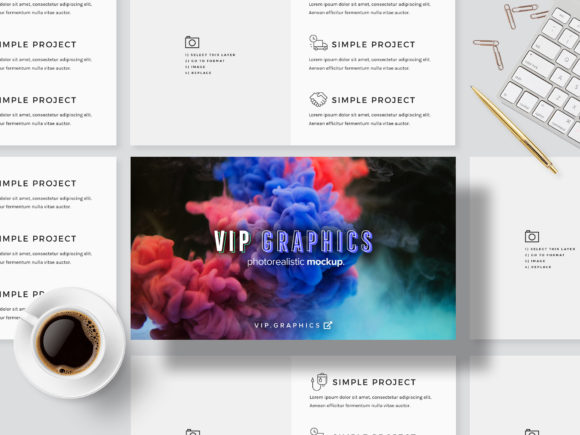
3D Slides Showcase Mockup Bundle PSD
We have all been there. You spend hours perfecting a presentation deck. The data is solid, the copy is punchy, and the layout is clean. But when you post a flat screenshot of your slides on LinkedIn or your portfolio site, it looks… flat. It blends into the endless scroll of generic content. This is where the 3D Slides Showcase Mockup Bundle PSD changes the game. It transforms standard digital assets into tangible, eye-catching visual experiences that demand attention.
This isn’t just about making things look "cool." It’s about communication hierarchy. In a crowded digital landscape, how you present your work often matters as much as the work itself. Whether you are a freelancer pitching to a client, an educator sharing course materials, or a marketer launching a new product, this bundle provides the scaffolding to elevate your slide designs from simple documents to compelling visual stories.
Why Flat Screenshots Fail in Modern Marketing
Let’s be honest: nobody stops scrolling for a rectangular image of text on a white background. Our brains are wired to seek depth, context, and realism. When you drop a slide design into a 3D isometric mockup, you are providing that context. You are showing the audience not just what the information says, but how it feels to interact with it.
The 3D Slides Showcase Mockup Bundle PSD leverages modern design trends—specifically isometric perspective—to create slick displays that feel premium. Isometric design has become a staple in tech and startup branding because it suggests structure, clarity, and forward momentum. By using these mockups, you align your personal brand with those high-quality, professional standards without needing to hire a 3D artist.
Real-World Use Cases for Creators and Professionals
Understanding the tool is one thing; knowing when to use it is another. Here is how different professionals actually apply this bundle in their daily workflows.
Freelancers and Designers Building Portfolios
If you sell services, your portfolio is your storefront. A case study that simply lists "Client Project" followed by three JPEGs is forgettable. However, if you place those same slides inside a beautifully rendered 3D device frame or an abstract floating platform, you signal attention to detail. Clients buy confidence. Seeing your work presented in a polished, realistic environment subconsciously tells them, "I care about the final output."
Imagine showcasing a rebranding project. Instead of showing the logo alone, you show the logo applied to a slide deck within the mockup. Then, you show a second slide with key metrics. The 3D Slides Showcase Mockup Bundle PSD allows you to drag-and-drop these elements instantly. You can create a cohesive visual narrative that guides the viewer through your thought process, rather than just dumping files on a page.
Marketers and Social Media Managers
Social media algorithms favor engagement, and engagement favors visually striking content. On platforms like Instagram, Pinterest, and LinkedIn, static images compete with video and dynamic ads. A high-resolution 4K mockup stands out in a feed full of low-effort posts.
Consider a scenario where you are launching a new webinar or online course. You need promotional graphics. Using this bundle, you can take a single slide design and generate multiple variations quickly. Change the background color, zoom in on a specific chart, or rotate the angle slightly. These small tweaks keep your ad creative fresh, which helps prevent ad fatigue among your audience. The ability to customize scenes means you aren't stuck with one rigid composition; you have a library of angles ready to go.
Educators and Corporate Trainers
For educators, the challenge is often keeping students engaged. While the mockup doesn't change the content of the lecture, it changes how the material is distributed. If you are selling course notes, creating a preview module, or sharing resources on a blog, presenting them in a 3D format makes the resource feel more valuable. It elevates free content, encouraging users to engage more deeply with your educational brand.
Technical Features That Save Time
One of the biggest barriers to using high-end mockups is the learning curve. Many designers fear Photoshop because they worry about complex layer masks or non-destructive editing errors. The features included in this bundle are designed specifically to remove that friction.
- Smart Objects: This is the core feature. You do not need to manually trace or warp your slide designs. You simply double-click the smart object layer, paste or drop in your PowerPoint, Keynote, or Google Slides export, and save. The mockup automatically updates. This "copy-paste editing" workflow means you can update a typo in your original presentation, re-export, and refresh the mockup in seconds.
- Auto-Magical Layer Styles: Customizing the look shouldn't require painting skills. With copy-able layer styles, you can tweak shadows, highlights, and textures with a few clicks. If you want a darker, moodier aesthetic for a corporate pitch, or a bright, airy look for a lifestyle blog, the adjustment is immediate.
- Pixel-Perfect Edge Wrap: Nothing ruins a professional look faster than jagged edges or incorrect bleed. This bundle handles the technical heavy lifting. The automatic bleed ensures that when you print or display at high resolutions, the edges remain crisp. This is crucial for anyone who might eventually want to turn these digital assets into physical posters or printed brochures.
Compatibility and Workflow Integration
You likely already have your slide content ready. The good news is that the 3D Slides Showcase Mockup Bundle PSD is built to integrate with tools you already use. The 16:9 aspect ratio is standard for PowerPoint, Keynote, and Google Slides. You don't need to resize or crop your existing decks awkwardly. They fit perfectly into the designated areas.
Furthermore, the inclusion of 4k hi-resolution output means you are future-proofing your assets. As screen densities increase across devices, having high-res source files (.PSB) ensures your work remains sharp on Retina displays and large monitors. The 13 unique views provide variety without requiring you to start from scratch each time. Whether you need a wide-angle shot for a website header or a close-up for a social media story, the variety is baked into the file.
What to Consider Before You Start
While this tool is powerful, success depends on the quality of the input. A mockup cannot fix a poorly designed slide. If your typography is unreadable or your color contrast is low, magnifying it in a 3D render will only make those flaws more obvious. Always ensure your base slide design is optimized before dropping it into the smart object.
Additionally, consider your target audience's aesthetic preferences. A sleek, minimalist isometric style works wonders for tech startups and financial firms. However, for a creative agency or a children’s education platform, you might want to explore if the provided backgrounds can be easily swapped to match a more playful tone. The customizable scenes allow for this, but it requires a bit of experimentation with the layer styles to get the right "vibe."
Finally, think about consistency. If you use this bundle for a campaign, try to stick to one or two scene types. Jumping between drastically different angles can confuse the viewer. Consistency builds recognition. By mastering a few key layouts within the 3D Slides Showcase Mockup Bundle PSD, you create a recognizable visual signature for your presentations.
Conclusion
In the end, the 3D Slides Showcase Mockup Bundle PSD is about efficiency meeting aesthetics. It bridges the gap between the tedious work of manual graphic design and the desire for premium presentation. For anyone who creates slides regularly, it is not just a nice-to-have asset; it is a productivity multiplier. It allows you to focus on the message while ensuring the container holding that message is worthy of attention.